
Combat

HOLLOW Roblox Combat Guide: Basics and M1 Fixes

Last updated:

Start with an equipped attack or weapon, then use spacing and defense to create openings. If your attacks stop connecting, check your location, equipment and target before changing your combat setup.

At a glance

Equip Attack or your weapon, then left-click (M1) for basic attacks. Use F to block, Q to dodge and X to charge Reiatsu. If M1 is not working, leave the safe zone, check your equipped hotbar entry—especially after evolving—and choose a target without NPC protection. The 1 key selects the first hotbar item; it is not the attack button.

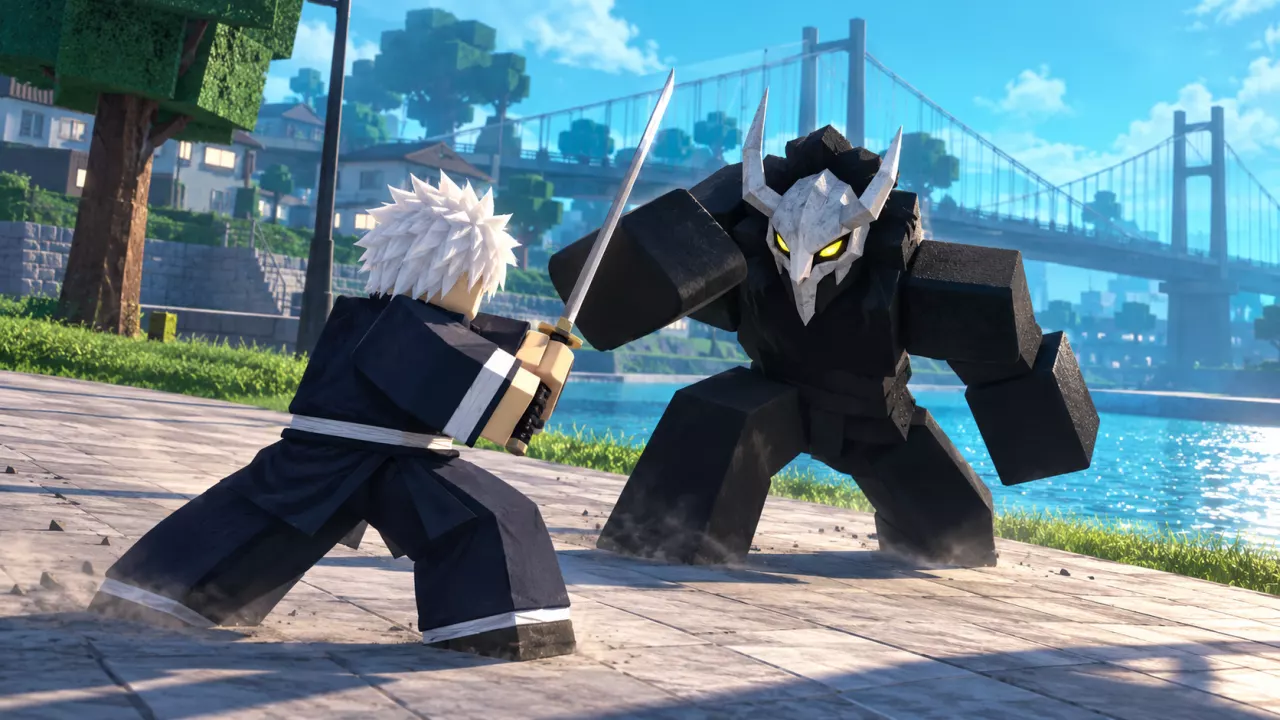
HOLLOW Roblox Combat Guide: Basics and M1 Fixes — illustrated cover

Equip, Attack, Block and Dodge

  1. Equip Attack or your weapon from the bottom hotbar.
  2. Use M1 (left-click) to perform basic attacks when the enemy is within reach.
  3. Face the enemy and use F to block. Watch its next move instead of continually attacking into it.
  4. Use Q to dodge when the enemy commits to an attack. Adjust your distance, then move back into range and attack during the opening.

Blocking can be broken, so mix it with movement. If the enemy blocks or gets knocked away, reassess your spacing before following up; another attack is only useful if it can connect.

For other inputs and binding changes, see PC controls and keybind settings. Once you can reliably attack and defend, use the PvE starter builds to choose skills that fit your preferred fighting style.
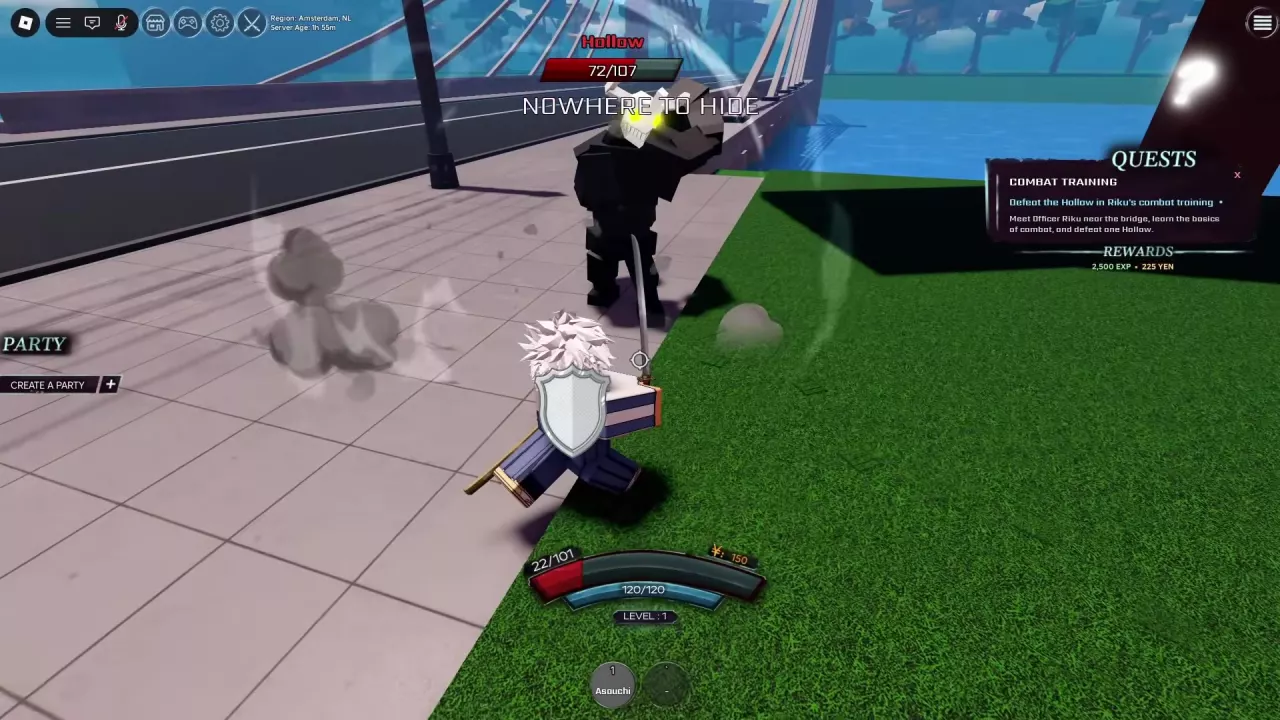
Sword-wielding character blocking a Hollow beside a bridge, with a shield icon visible.

Check Why M1 Is Not Working

Work through these checks in order:

  1. Look for “You can't combat in a safe zone.” Move outside the safe zone before trying again. Skill effects and cooldowns can still appear there, so an animation alone does not mean you damaged another player.
  2. Check whether Attack or your weapon is equipped. The 1 key selects the first hotbar entry; M1 performs the basic attack. Pressing 1 while your sword is equipped can put it away. Re-equip it before attacking again.
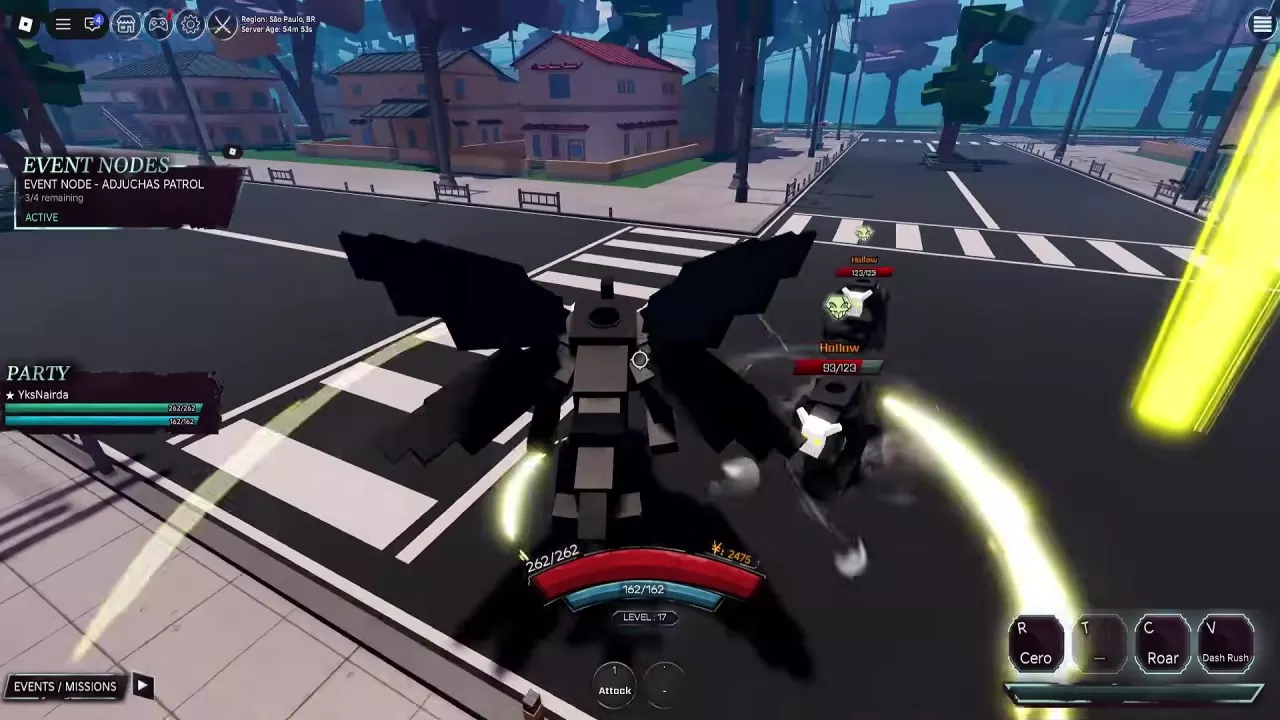
  3. Recheck your hotbar after evolving. If you become Adjuchas and suddenly cannot attack, re-equip the Attack entry marked 1, then use M1. Evolution can also change your weapon entry and available skills, so use the current labels.
  4. Look for “This NPC is protected.” Switch to an attackable target when this message appears.
Adjuchas fighting Hollows with Attack visible in the first hotbar slot.

Restore Reiatsu

Use X to charge Reiatsu, also called Spiritual Energy. This is your basic option for replenishing the resource.

Soul Candy restores a small amount of Reiatsu when consumed. To prepare it on your hotbar:

  1. Open the top Menu, then Inventory.
  2. Select Soul Candy.
  3. Click EQUIP and check that it appears on the hotbar.

Equipping places the candy on your hotbar; consuming it provides the restoration. Soul Candy can come from Common Event Chests. See supplies and hotbar setup for the other recovery items and their sources.

Two upgrades affect your resource management:

  • Kido improves Reiatsu, spirit regeneration and Reiatsu power. Consider it when developing a build that relies on spiritual attacks.
  • Faster Charge provides 1.5× charging speed. It is useful if charging time frequently interrupts your routine; see the game pass comparison and charging-time estimate before choosing it.

Read Combat Feedback

Indicator Meaning and use
Hits Counts connected hits in the current exchange. Use it to follow whether your attacks are connecting.
DMG Summarizes damage for the exchange. It is not a fixed damage rating for your weapon.
CRIT! Identifies a critical hit.
Shield icon Indicates the blocking state.
Skill countdown Shows the remaining cooldown before that skill becomes available again.

Read damage in the context of your current character setup and target.

A countdown already in progress is also not the skill's full cooldown. Use the remaining time to decide when to return to that skill, with basic attacks, defense or repositioning between uses.

PvP Areas and the Combat-Logging Warning

PvP can take place in streets and on the water outside restricted areas. If combat is blocked, use the safe-zone and target checks to identify the restriction.

The warning “COMBAT LOGGED = PUNISHED” means leaving during combat is penalized. Treat it as a reason to stay in the session while the combat warning is active. It also appears during Hollow Ambush PvE, so fighting event enemies does not exempt you from the warning.

Search the archive

HOLLOW Roblox Races: Soul Reaper or Hollow?
HOLLOW Roblox Beginner Progression and Leveling GuideHOLLOW Evolution Guide: Gillian to Vasto Lorde and ArrancarHow to Get Shikai in HOLLOW: Squad, Spirit and ReleaseHow to Unlock Partial Resurrección in HOLLOW Roblox
HOLLOW Hollow Tutorial: First Meal to The HungerHOLLOW Soul Reaper Tutorial: Riku's Starter QuestsHOLLOW Roblox Quests: Objectives, Rewards and Turn-insHow to Get Shikai in HOLLOW: Squad, Spirit and Release
HOLLOW Soul Reaper Tutorial: Riku's Starter QuestsHow to Get Shikai in HOLLOW: Squad, Spirit and Release
How to Get Shikai in HOLLOW: Squad, Spirit and ReleaseHOLLOW Shikai List, Moves and Reroll Menu
How to Unlock Partial Resurrección in HOLLOW RobloxHOLLOW Roblox Resurrections: Weapons, Moves and RerollsHOLLOW Resurrection PvE Tier List for Event Farming
HOLLOW Roblox Clans: Roll Chances, Perks and Rerolls
HOLLOW Body Types: Bulky, Crawler and Winged
HOLLOW Roblox Skills: Requirements, Prices and EquipmentHOLLOW PvE Starter Builds and Skill Buying PrioritiesHOLLOW Roblox Stats and Stat Point Planner
HOLLOW Roblox Stats and Stat Point PlannerHOLLOW PvE Starter Builds and Skill Buying Priorities
HOLLOW PvE Starter Builds and Skill Buying PrioritiesHOLLOW Roblox Accessories: Reiatsu Gloves and BraceletHOLLOW Roblox Stats and Stat Point Planner
HOLLOW Resurrection PvE Tier List for Event FarmingHOLLOW PvE Starter Builds and Skill Buying Priorities
HOLLOW Roblox Controls, Menus and PC KeybindsHOLLOW Roblox Combat Guide: Basics and M1 Fixes
HOLLOW Roblox Combat Guide: Basics and M1 FixesHOLLOW PvE Starter Builds and Skill Buying Priorities
HOLLOW Meditation Guide: How to Start and Handle WaitingHow to Get Shikai in HOLLOW: Squad, Spirit and ReleaseHow to Unlock Partial Resurrección in HOLLOW Roblox
HOLLOW Roblox Events: Find Disturbances and Clear NodesHOLLOW World Boss Rewards and Arrancar InvasionHOLLOW Roblox Party System and Event Leader Rules
How to Open the Raid Gate in HOLLOW RobloxHOLLOW Roblox Materials: Fragments, Shards and Raid Costs
HOLLOW World Boss Rewards and Arrancar InvasionHow to Get Shikai in HOLLOW: Squad, Spirit and ReleaseHow to Unlock Partial Resurrección in HOLLOW Roblox
HOLLOW Roblox Locations, NPC Markers and World TravelHow to Open the Raid Gate in HOLLOW Roblox
HOLLOW Roblox Party System and Event Leader RulesHOLLOW Roblox Events: Find Disturbances and Clear Nodes
HOLLOW Roblox Accessories: Reiatsu Gloves and Bracelet
HOLLOW Roblox Consumables: Effects, Sources and Hotbar SetupHOLLOW Roblox Combat Guide: Basics and M1 Fixes
HOLLOW Roblox Materials: Fragments, Shards and Raid CostsHow to Open the Raid Gate in HOLLOW Roblox
HOLLOW Roblox Chests: Sources, Rewards and Mass OpeningHOLLOW World Boss Rewards and Arrancar Invasion
HOLLOW Roblox Currencies: Yen and Essence
HOLLOW Roblox Customization: Character Creation and Reiatsu ColorHOLLOW Body Types: Bulky, Crawler and WingedHOLLOW Roblox Clans: Roll Chances, Perks and RerollsHOLLOW Roblox Game Passes: Prices, Features and Faster Charge
HOLLOW Roblox Game Passes: Prices, Features and Faster Charge
HOLLOW Primordial Vasto Lorde Badge Requirements
HOLLOW Roblox Stats and Stat Point PlannerHow to Open the Raid Gate in HOLLOW RobloxHOLLOW Roblox Game Passes: Prices, Features and Faster Charge