Have Soul Bandage or Soul Candy in your Inventory first.
- Open Inventory from the top Menu's radial menu.
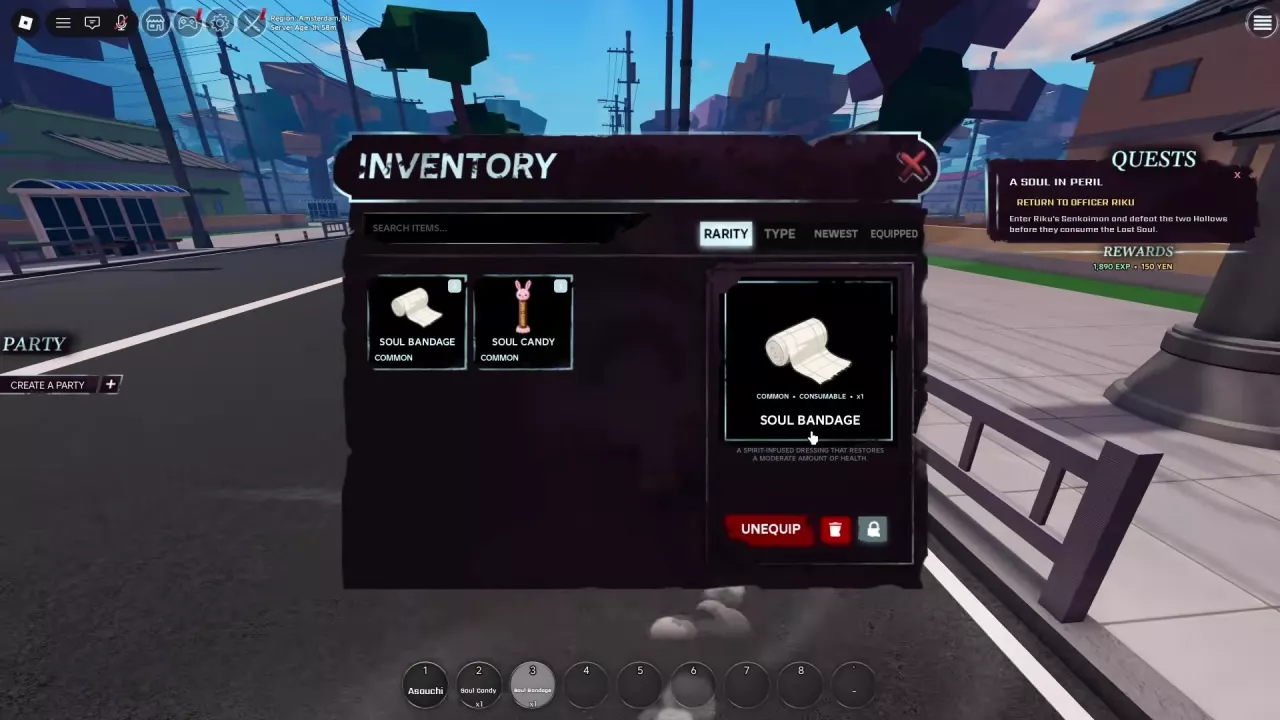
- Select Soul Candy or Soul Bandage to open its item details.
- Click EQUIP to place the supply on your hotbar.
- Check that its name appears on the hotbar and the item button changes to UNEQUIP. Repeat for the other supply if you have it.
The small 2 and 3 on the equipped item cards in the screenshot identify hotbar positions. The separate ×1 labels show stack quantities. Use your own hotbar's assigned positions; these numbers are not fixed slots for Candy and Bandage.
EQUIP prepares the item on the hotbar; it does not consume it. For help finding menu entries or reading keybinds, see HOLLOW controls and menus.